Add GPU Users
Step by step guide:
- First check if they have filled out the form in the excel sheet
- Check which server has less users
-
In the chosen server, add the user to the
usersgroup with the following command:Scroll down and look for thesudo vipw -gusersgroup, go at the end of the line and add the user using the Kürzel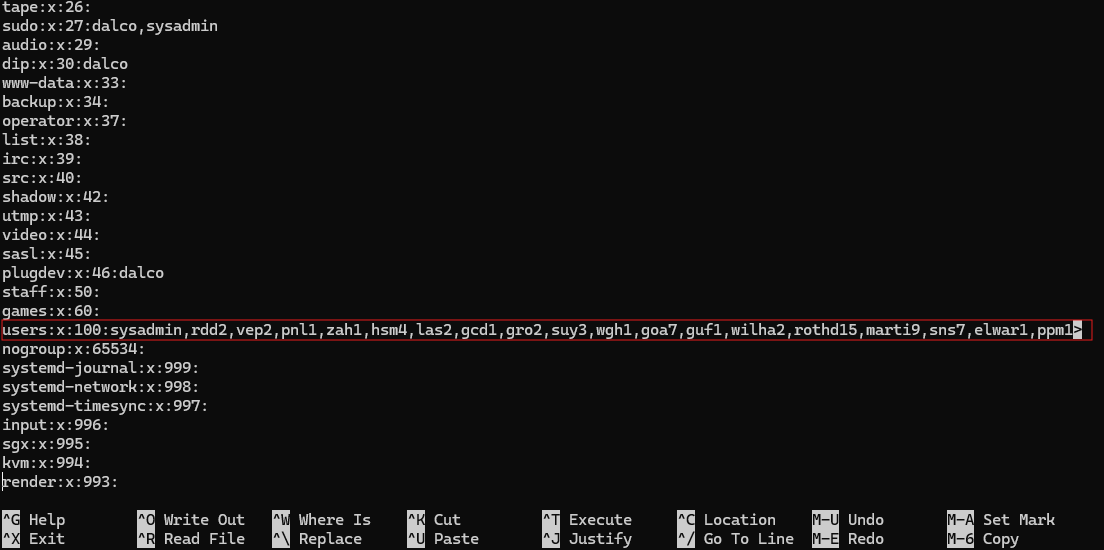
Press
Ctrl + O,EnterandCtrl + Xto save and exit. -
Add the user to the MS Teams MLMP as
mitglieder:
-
Add the user to the Exchange calendar
mlmp.reservation.ti@bfh.chwithkann bearbeitenpermissions: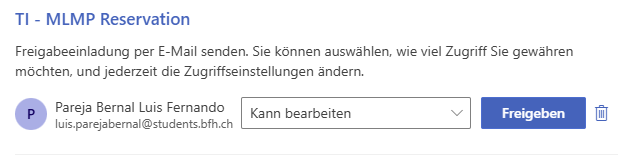
Note: To obtain deputy access to the mlmp.reservation.ti@bfh.ch mailbox, please first inform Peter. He will then contact the BFH Microsoft 365 administrators to enable this access. After this you can refer to the Calender Management Section in order to add new users with the right permissions.
-
Forward the User Request Mail (Usually the mail we get when someone filled in the form) with the following message (Adjust):
Guten Abend <User>,

du wurdest dem <PEAK OR APEX>-Server hinzugefügt. Der Zugriff erfolgt über
<Kürzel>@<peak or apex>.ti.bfh.ch.
Bitte beachte, dass ausschließlich GPU-Jobs über Docker erlaubt sind. Direkte GPU-Nutzung über den „nativen“ Account ist nicht gestattet.
Bei Fragen oder Problemen melde dich gerne.

Achtung! Alle Benutzerkonten werden zum Semesterende gelöscht. Bei Bedarf einer Verlängerung kontaktieren Sie uns.

Name,
Position
Done 🧙🏼♂️